

Hey, I’m Marco 👋
I build in public toward €1M, and you get to watch and steal everything I learn. You can read more about me and my project here.
Revenue to date: €220,069 / €1,000,000
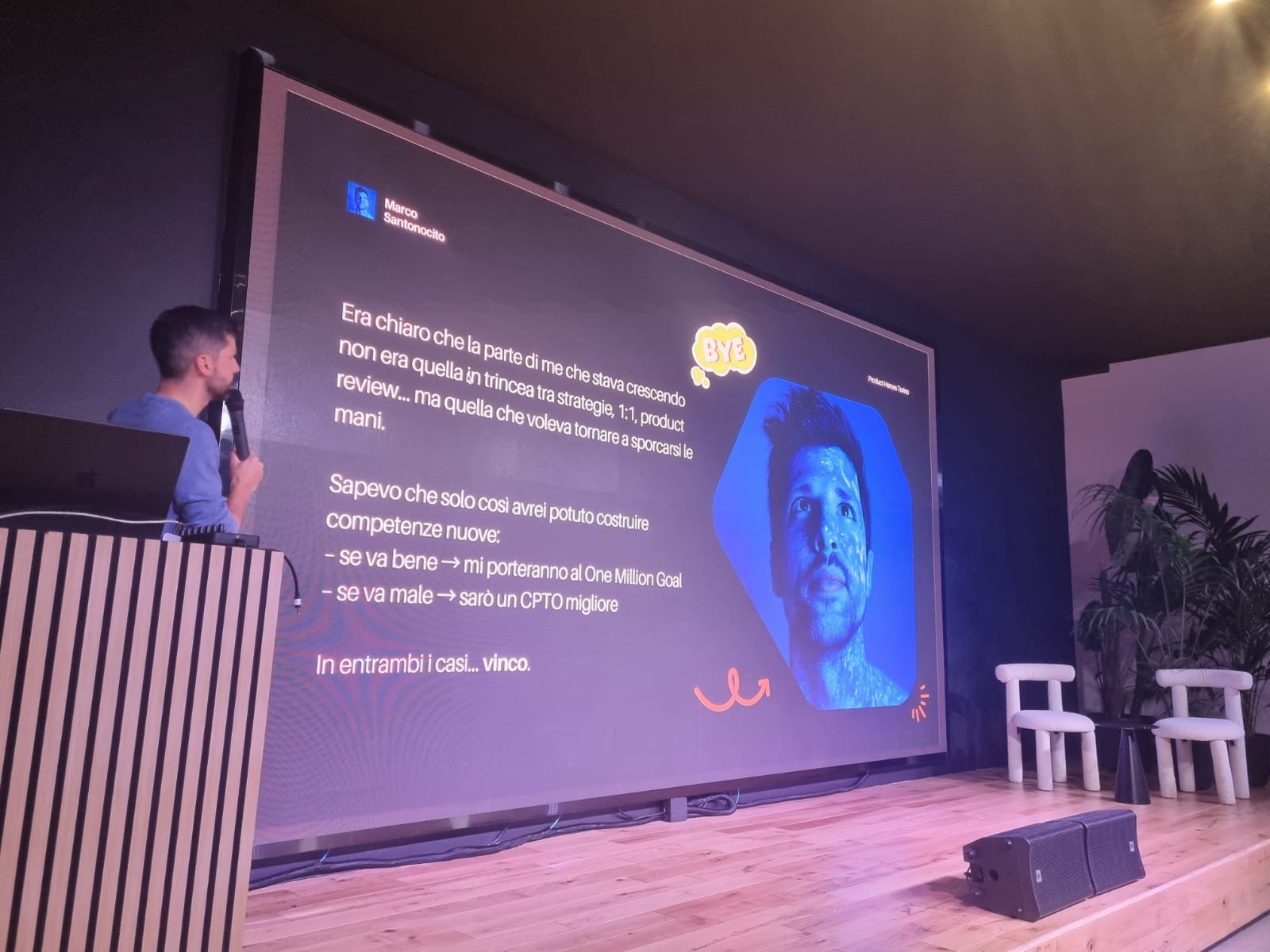
A week ago I was in Turin at a Product Heroes event and I… may have made a questionable life choice.
I walked on stage and decided to build a brand-new product live, in front of lots of people, starting from absolute zero, using only ChatGPT and Lovable… and to launch it before the meetup ended.
Yes, I know. High-risk. Low-sanity. But that’s exactly why I wanted to do it.
Here were my rules:
Start from zero. Okay okay… I did prep a couple prompts beforehand; because honestly, no one deserves to watch me stare silently at a blank screen, pretending to “think deeply.”
Ship something real. No fake screens. No prototypes. A working product with real UI, real logic, and real constraints.
Landing page + paywall included. If people can’t pay for it, it’s not a product… it’s a school project.
Launch it live. No backstage fixes. No “I’ll finish it tonight.” What ships, ships.
It could have been a huge win.
It could have been a hilarious disaster.
Either way, everyone in the room would see everything… in real time.
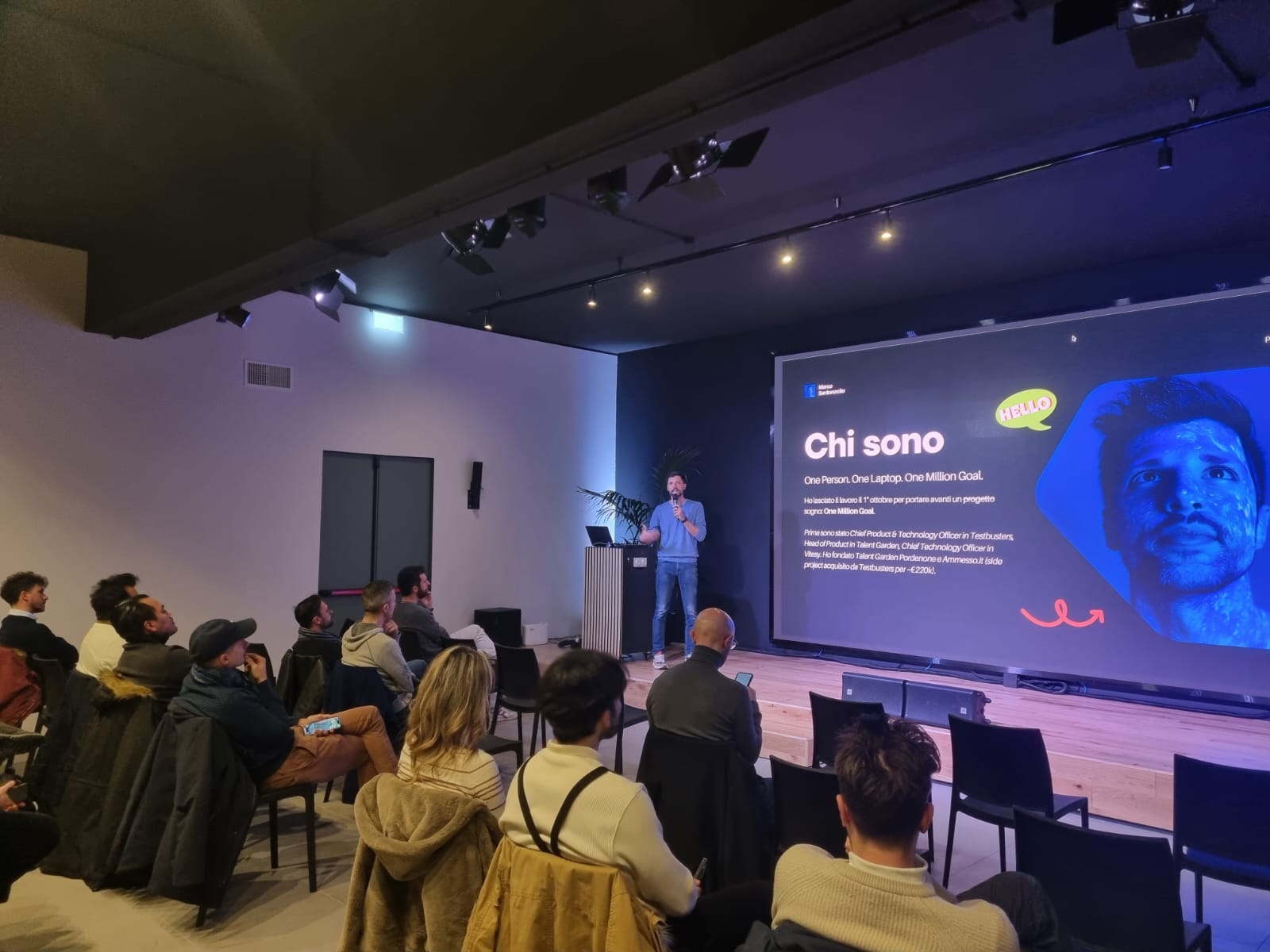
This post is the full story: the idea, the workflow, the prompts, the research, and how I used AI as a full product team to design, build, and deploy an MVP in under 60 minutes.
The Idea
Let me start from something personal.
I’m a musician. I play the piano. For years I even had a jazz band… then life happened, as it always does, but I never lost the passion.

And there’s another detail: I have perfect pitch.
As a kid, I genuinely thought it was some kind of superpower.
No one in my family played music.
Yet I could recognize every single note instantly, as if they had colors or flavors attached to them.
For most of my life, I believed it was a gift.
Something you’re born with.
Then a few years ago I read Peak, the book by Anders Ericsson, and came across a research paper that completely flipped that belief upside down.
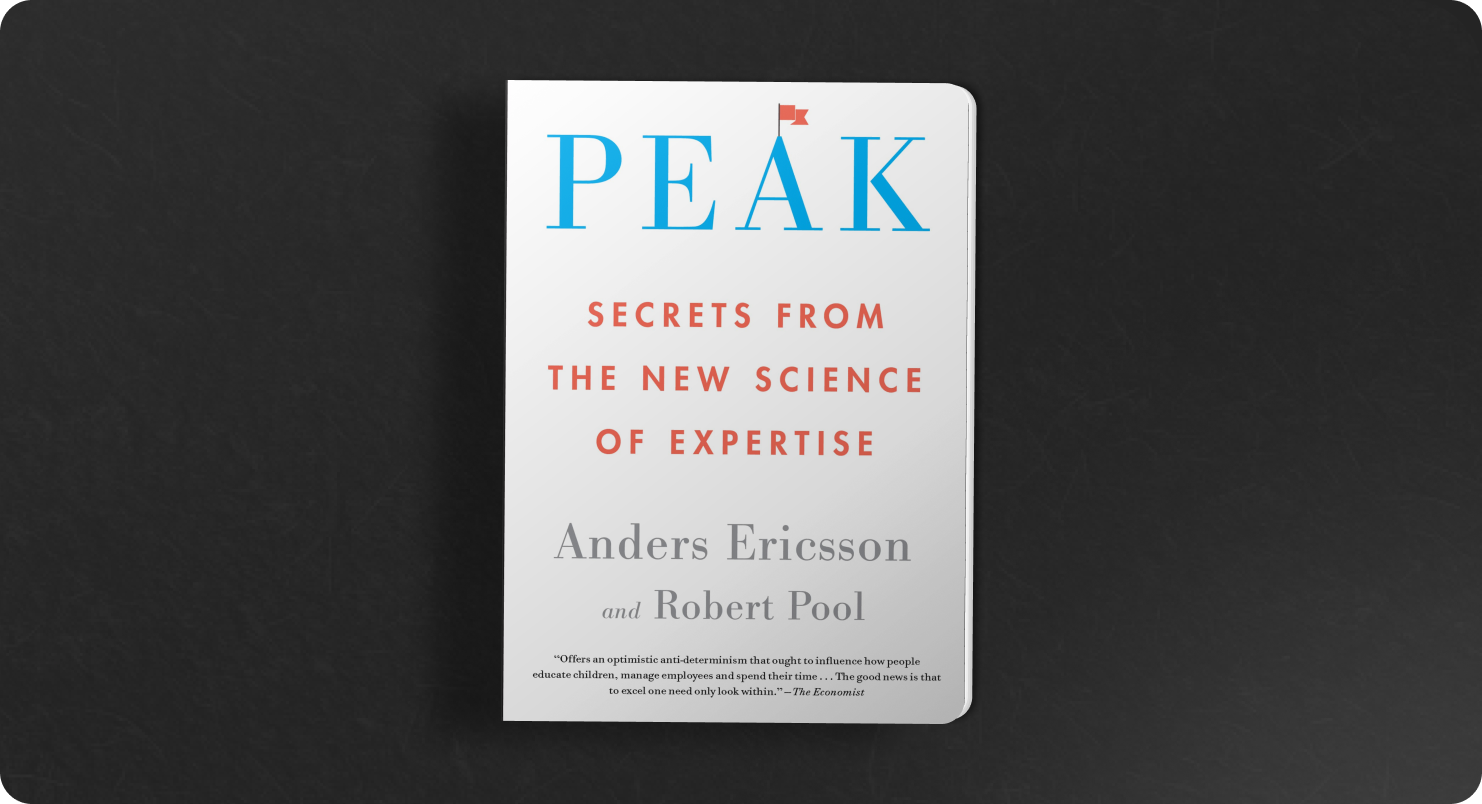
It was a longitudinal study by Ayako Sakakibara, a Japanese music psychologist who followed 24 children aged 2–6 and trained them using a specific technique called the Chord Identification Method (CIM).
And the results?
22 out of 24 children successfully acquired perfect pitch after structured, daily micro-training sessions (but 2 of them left the study earlier).
A 92% success rate.
Zero “gifted” kids.
Just a method.
Just consistency.
Just early learning.
Here’s the study, in case you’re curious.
What blew my mind is how simple the training actually was:
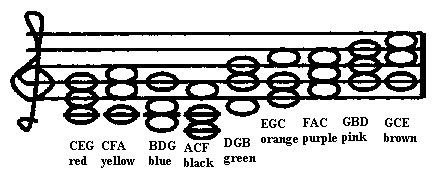
Step 1: Associate each chord with a color
Sakakibara used 9 major triads (the “nine white chords”).
Each chord always had the same color (e.g., C–E–G was red, C–F–A was yellow, etc.)
No note names.
No theory.
Just color.
Step 2: Tiny sessions, many times a day
Children trained in 2–5 minute sessions, repeated 4–5 times per day, for a total of about 100 chord trials per day.
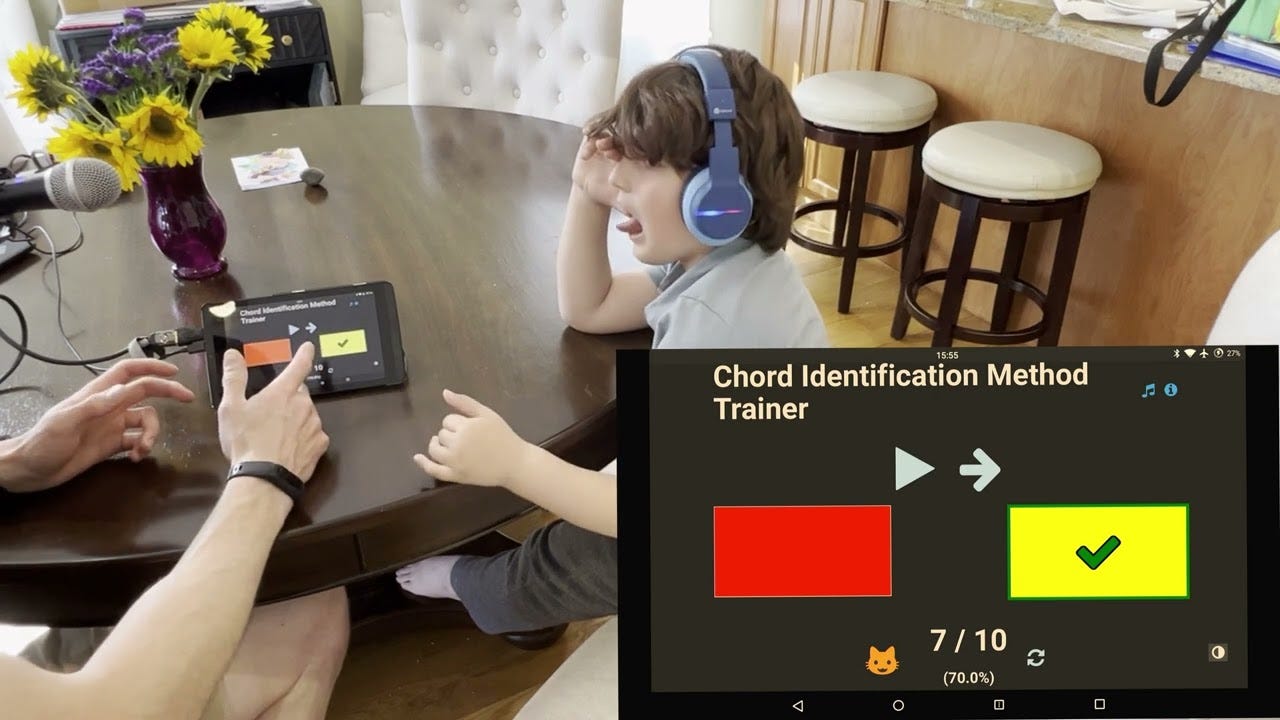
This structure allowed them to stay focused, avoid fatigue, and build the skill almost subconsciously.
Step 3: The magical shift: height → chroma
This is the most important part… the “aha” moment of the entire study.
At first, children don’t understand chords. They only recognize pitch height: “this one sounds higher,” “this one sounds lower.”
But after a few weeks, something clicks.
They move from identifying height to identifying chroma, the pitch category which is exactly what perfect pitch is.
This transition is documented across multiple pages where Sakakibara analyzes how children’s errors change over time.
This shift is the foundation of perfect pitch.
And it happens consistently.
So I asked myself: what if we turned this into an app?
Ever since I discovered this research, I’ve had this obsession:
One day, I want to build an app that helps kids develop absolute pitch.
A playful, science-backed app for children aged 2–6 that helps them train absolute pitch with:
Tiny daily chord games
Bright color cards
Simple auditory feedback
Zero music experience needed
And a method validated by a 2-year study
An app that feels like a game… but is powered by real cognitive science.
That’s how ChromaKid was born.
And that’s the idea I decided to build live on stage.
The Plan
When people imagine AI development, they picture someone opening Lovable and typing:
Hey Lovable, build me an app.Nope. That’s a guaranteed way to suffer.
Before touching Lovable, my process always starts with one phase, the most important one: Planning.
AI works beautifully… when you do the planning.
Lovable is execution.
ChatGPT (or your favourite model) is everything before that.
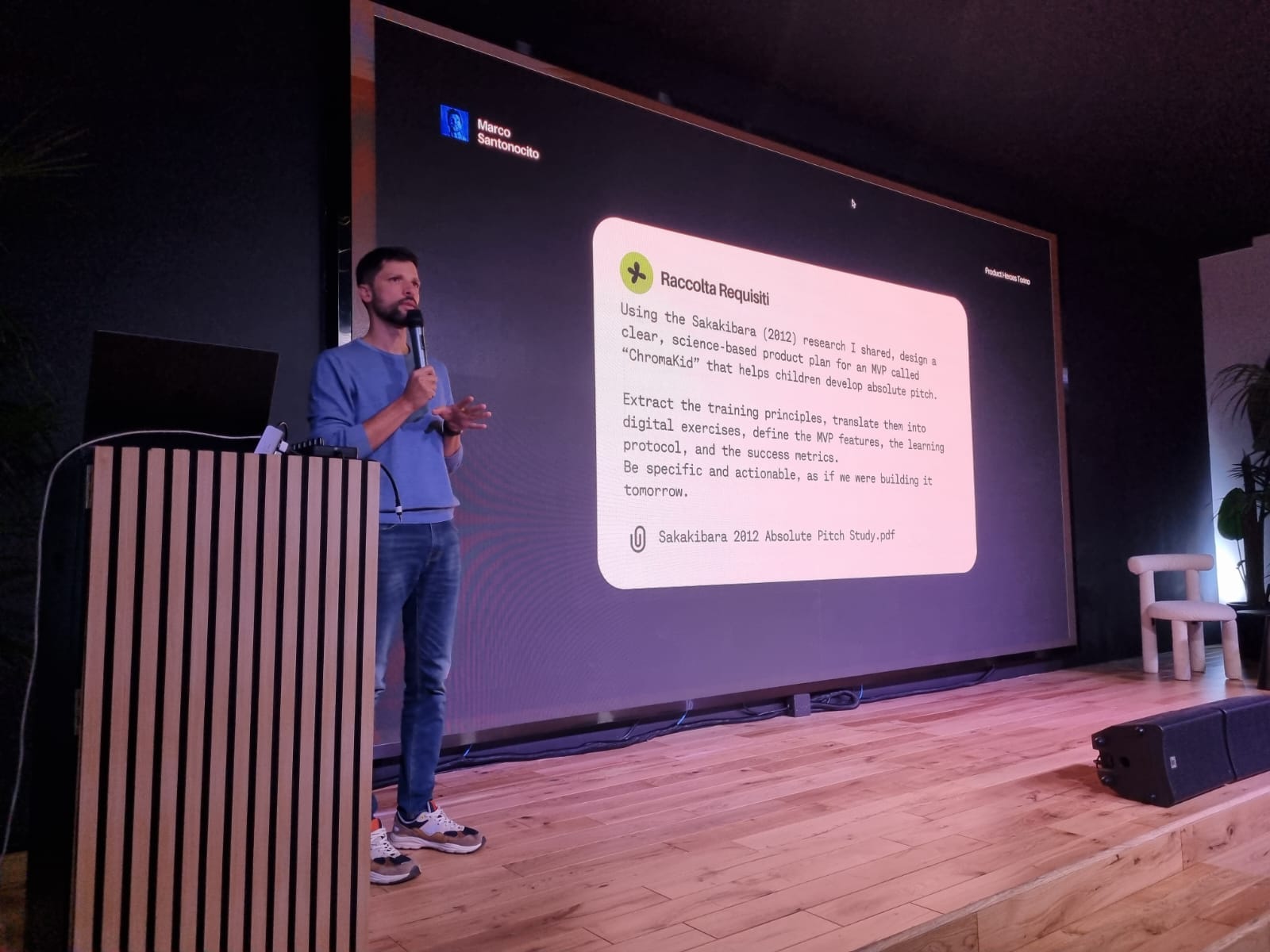
Here’s how the dance works… not as a list, but as a flow.
Step 1: Give ChatGPT the real context
I don’t just drop the idea.
I tell it:
why I want to build this
for whom
the educational goal
time constraints
what MVP means in this specific case
what success looks like
what cannot go wrong
If the AI doesn’t understand the context, it can’t make good decisions. Simple as that.
Step 2: Feed it the raw material
A few days before the live building, I sat down with ChatGPT and uploaded the Sakakibara study.
This thing is 26 pages long, super technical, full of cognitive theory, error charts, chord tables… the kind of paper you read once and think: “Ok cool… and now what?”.
So I asked ChatGPT to do something very specific: turn the research into a real MVP. Not just “explain the study.” But translate it into an app.
This was the prompt:
I’m sharing with you the full research paper by Ayako Sakakibara (2012) about how children aged 2–6 can acquire absolute pitch through daily training based on chord identification.

Using the insights, methodology, and findings from this study, help me design a complete, science-based product plan for an MVP called “ChromaKid”: a responsive web app that helps young children develop absolute pitch.

Your plan should:
1. Extract the key principles of the training method (frequency, chord sets, chroma vs. height, learning progression, plateau/doldrums, feedback style).
2. Translate these principles into a modern, digital, child-friendly experience.
3. Outline the core features required for an MVP (educational flow, exercises, UI, progression system, parent involvement).
4. Describe the ideal training protocol (session length, repetitions, how to simulate the Eguchi/Sakakibara method digitally).
5. Propose an exercise structure that replicates the acquisition process observed in the study.
6. Define the success metrics for the MVP (learning outcomes, engagement, parent retention, etc.).
7. Ensure everything is grounded in the evidence and constraints of the study. Be extremely concrete, structured and detailed.

Don’t be generic. Build the plan as if we were about to start development today.
Step 3: Define the MVP
ChatGPT decomposed everything into a real MVP but it was too complex, now it’s my turn.
With ChatGPT, I strip the idea down to the essentials: what must exist?
Thank you! I’d like to develop only the training engine for Phase 1, it should be structured in this way:

Homepage with a list of all the Levels (from 2 to 9 chords):
- Higher levels should be showed with a locker and they activates only when the children reach a 100% accuracy for 7 days;

Training Page, structured in this way:
- identification trials counter (should be 20 per session)
- back button (if children needs to interrupt a session)
- chord played repeatedly with an animation
- Cards of different colors, children should choose the correct one.
- Immediate feedback: If correct → “Success animation + next trial”. If wrong → “Incorrect, try again” + replay chord + highlight correct card after repeat.
Step 4: Deep Dive
Before submitting the prompt I ask ChatGPT an important question. Maybe the most important.
Ask me all the questions that you want but one at a time.This is the real cheat code.
For ChromaKid, it asked me 24 questions. Brilliant questions.
It clarified audio looping, session resets, level unlocking behaviour, streak logic, onboarding, UX constraints, database schema, error states, feedback animations, analytics, parent vs child roles,…
By the end, it understood the product better than I did.
Step 4: Write the final prompt for Lovable
The Lovable prompt is not a prompt. It’s a document.
It includes:
context
constraints
pedagogy
user flow
UI decisions
backend rules
the cognitive science behind the method
what to build
what not to build
ChatGPT helps me craft the cleanest possible version, the one Lovable can understand without guessing.
Here’s the prompt:
Develop a scientifically grounded responsive web application called ChromaKey that allows children aged 2–6 to train absolute pitch through the digital replication of the Eguchi/Sakakibara Chord Identification Method (CIM).

1. Product Overview
The MVP must deliver a fully functional training engine, which includes:

- Authentication using Supabase
- A system of Levels from 2 → 9, where each level corresponds to the exact number of active chords available.
- Daily 20-trial training sessions that the child must complete in one sitting.
- Chord playback engine that plays a selected chord repeatedly every 2 seconds until a card is tapped.
- Full feedback loop: success animation for correct answers, error animation + forced correction tap for wrong answers.
- 7-day streak system that unlocks the next level only after 7 consecutive days of perfect sessions.
- Automatic daily reset at midnight, which starts a new training day.

Everything must be implemented with extreme simplicity and reliability. The user is a toddler; the parent is the one monitoring progress.

2. Core Concepts
This section defines the educational rules the application must obey.

2.1 Levels
Each level contains a fixed number of chord–color cards:
- Level 2 → 2 cards
- Level 3 → 3 cards
- …
- Level 9 → full set of 9 white chords

Lovable must treat levels as states, not optional exercises. Children are always locked into the current level until streak completion.

Unlock Requirements:
To unlock the next level, the system must check:
1. Has the child completed one full 20-trial session today?
2. Was accuracy 100% (20/20)?
3. Are the last 7 days all perfect sessions?

If all conditions are met, the system must:
- Increase currentLevel by +1
- Show a small banner on Home: “New Level Unlocked!”
- Update child’s state immediately

No animations or intro screens needed for the MVP.

2.2 Chords & Color Mapping (Eguchi Standard)
Lovable must hardcode this mapping into the app:

| Chord | Color |
|-------|--------|
| CEG | Red |
| CFA | Yellow |
| BDG | Blue |
| ACF | Black |
| DGB | Green |
| EGC | Orange |
| FAC | Purple |
| GBD | Pink |
| GCE | Brown |

These color assignments must never change, and must always stay consistent throughout the experience.

2.3 Sessions
A session is a sequence of 20 trials, each consisting of:
- Random chord selection from currently active set
- Repeated playback every 2 seconds
- Child selecting one card
- Immediate feedback

Important Rules:
- Only the first session of the day counts toward streak.
- Session ends only after 20 valid trials.
- Exiting early causes full session reset.

3. User Flows

3.0 Authentication screen
Lovable must build a simple authentication screen with signup and login.
- In the signup page user should add his first name, email and password. In the login page only email and password.
- User should be able to reset his password

3.1 Home Screen (Progression Path)
Lovable must build a simple home screen containing:
- A vertical or horizontal “path” of Level tiles from Level 2 to Level 9
- Current level stands out visually
- Locked levels must display a lock icon and be unclickable
- Unlocked levels must be clickable
- Only for authenticated users

Below the path, display a small parent-only text:
- “Streak: X/7 days”

Behavior:
- Tapping an unlocked level triggers navigation to the Training Session.
- When streak reaches 7, backend updates currentLevel → UI reflects change instantly.

3.2 Daily Training Session
Entering a Session:
- User selects Level → sees a Start Session button
- No warm-up sequence. Session begins at Trial 1.
- Only for authenticated users

Session UI Components:
Top Bar:
- Back button → exits session and resets it
- Trial counter (e.g., “Trial 7/20”)

Center:
- Pulsating circle (animated with scale or opacity)
- App must trigger chord playback every 2 seconds until the child taps

Bottom:
- Adaptive layout of color cards:
  - 2–3 cards → 1 row
  - 4–6 cards → 2 rows
  - 7–9 cards → 3 rows

The cards are large, simple, solid colors.

Trial Logic (Lovable must implement):
- Select 1 chord randomly from active chords, equal probability
- Play the chord immediately
- Continue playing every 2 seconds
- Wait for card tap

Feedback Logic:
Correct Answer:
- Display a simple success animation (e.g., brief glow or bounce)
- Move to next trial

Incorrect Answer:
- Show a red “error” animation (shake, flash, etc.)
- Replay chord
- Highlight correct card subtly (not too revealing)
- Require child to tap correct card → then treat as a correct completion

End of Session Logic:
After Trial 20/20:
1. Show confetti animation
2. Display strict summary:
   - “You completed all 20 trials!”
   - “Accuracy: X/20”
   - Perfect session = green banner
   - Otherwise neutral banner
3. Button: Go Home

Streak Logic:
- If accuracy 20/20 → increment streak
- If not → reset streak to 0

4. Unlocking Logic
Lovable must implement a daily streak system:
- Day resets at 00:00 local time
- Child must complete one full 20-trial session
- Accuracy must be 20/20

After 7 consecutive perfect days:
- Automatically trigger level unlock
- Display a small banner on the Home Screen

No animation or modal required.

5. Audio Handling
Audio Requirements:
- There will be MP3 files for each chord (ceg.mp3, cfa.mp3, etc.)
- Do NOT alter audio: no normalization, no trimming, no processing

Playback Behavior:
- On each trial: play chord immediately
- Repeat chord every 2 seconds
- On incorrect answer: replay immediately

Lovable must ensure precise timing.

6. Data & Logging
6.1 Data Stored Per Session:
- session_id
- child_id
- date
- level
- accuracy (0–20)
- counts_for_streak (boolean)
- new streak value

6.2 Data Stored Per Trial:
- trial_id
- session_id
- trial_number
- chord
- selected_color
- correct/incorrect
- wrong_selection
- confirmed_correct_tap
- timestamp

6.3 Stored State:
- currentLevel (integer)
- currentStreak (integer)

Lovable must keep these in a relational structure.

7. UI Specification
Home Page:
- Level path UI
- Level tiles
  - Unlocked tile: high opacity, tap enabled
  - Locked tile: dimmed + lock icon
- Parent streak text under the path

Training Page:
- Back button + Trial counter at top
- Pulsating circle centered
- Grid of color cards at bottom

Color Rules:
All colors follow Eguchi’s mapping exactly.

Animations:
- Pulsating circle = chord playback
- Small success animation per correct answer
- Error animation + highlight for correct card
- Confetti only at session end

8. Error Handling
Audio Load Failure:
- Show modal: “Sound issue. Please check your connection.”
- Retry button

Mid-Session Exit:
- Back button returns user to Home
- Restart session from Trial 1 next time

9. Technical Architecture (High Level)
Frontend:
- Responsive web app
- React/Next.js suggested
- Local state for session logic
- Timers for repeated playback

Backend:
Endpoints needed:
- POST /session
- POST /session/trial
- GET /level
- POST /level/unlock
- GET /streak
- POST /streak/reset

Database Tables:
- users
- children
- levels
- sessions
- trials
- streaks

Lovable must generate these according to the logging rules.

10. Success Criteria
Functional Criteria:
- Daily session runs correctly every time
- Chords loop with perfect timing
- Streak logic is accurate
- Level unlocks happen exactly on rule
- All session/trial logs are reliable

UX Criteria:
- Toddlers can complete sessions with minimal guidance
- Parents understand unlocking and streaks immediately
- Visual difficulty increases gradually and predictably
Step 5: Open Lovable
Not before.
Once the plan is solid, Lovable becomes a superpower. It turns the entire strategy into a working product.
And that’s when the fun begins.
Development
At this point, the entire product existed in my head and in ChatGPT’s head, but nowhere else.
And this is the moment I opened Lovable.
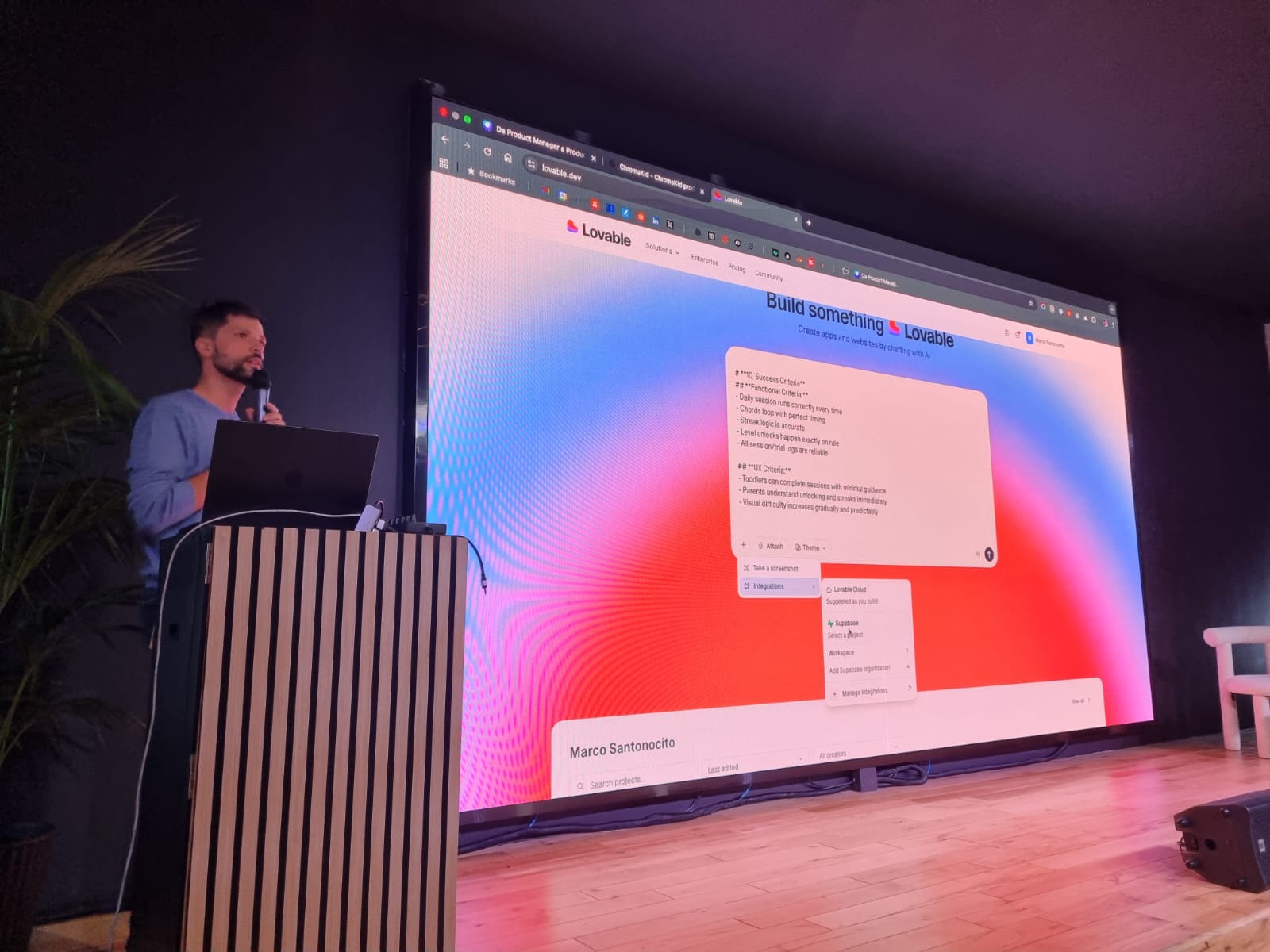
There’s always a small thrill (and a bit of fear) when you paste a massive prompt into Lovable… especially live in front of a lot of other people.
You never know if it’s going to generate a masterpiece, a good first draft… or a glowing pile of HTML spaghetti.
So I pasted the entire specification and I hit Generate.
And honestly?
The first output was shockingly good.
Iterating in Real Time
This is where the game begins.
You suddenly have a product, a real one, in less than ten minutes.
Now you can play with it.
You test it.
You tap through the levels.
You start a session.
You listen to the chord loop.
You pick a color.
You see the feedback.
And instantly, you know what needs to be added, fixed, or improved.
And here comes the beauty:
every time you need a tweak, big or small, you just switch back to Lovable, drop a prompt, and rebuild.
No friction.
No waiting for sprints.
No “can we fit this into the roadmap?”
Just: update → generate → done.
And every single time, Lovable answered like an engineer who never sleeps.
These are some of the real prompts I used to improve the product during the live session. And one thing is important:
I always refine each prompt with ChatGPT before sending it to Lovable.
ChatGPT is where clarity happens.
Lovable is where execution happens.
Here’s how that looked in practice:
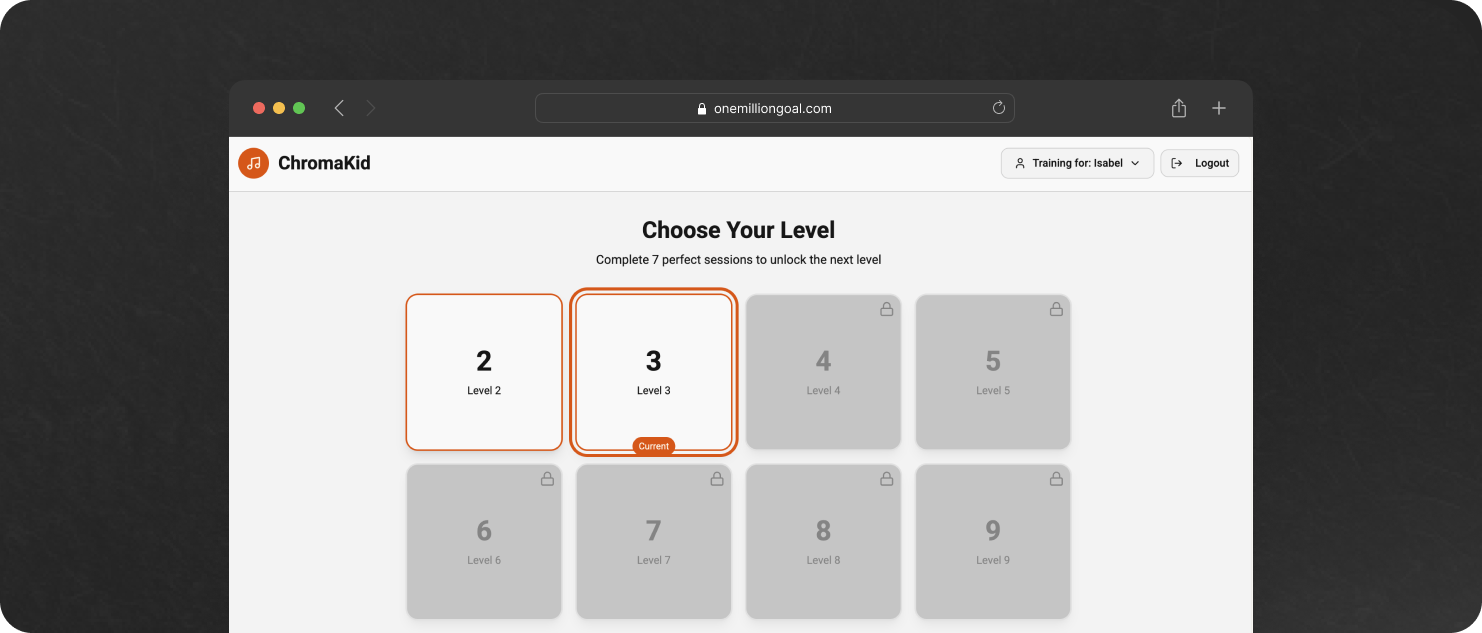
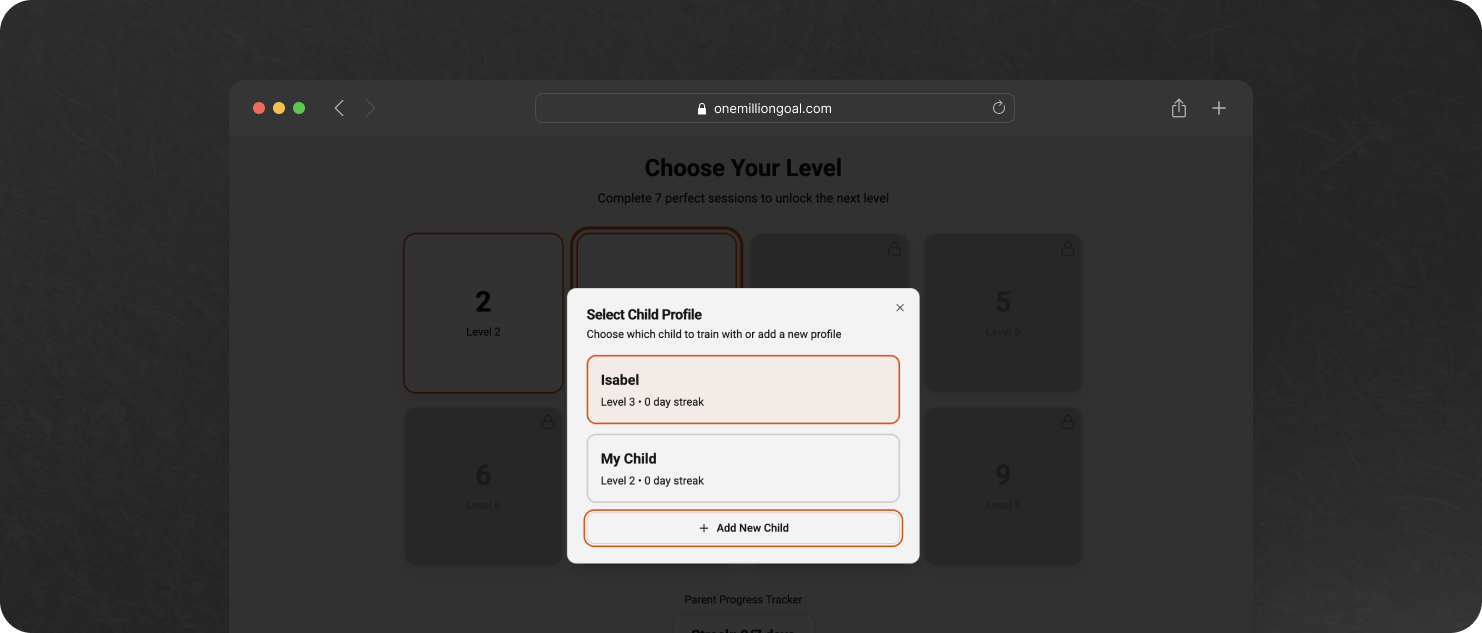
Child Profile
I wanted the app to support multiple children, each with their own training progress.
Add a mandatory onboarding flow after authentication where the parent must create a child profile before accessing the Home screen.

The child profile must include the following fields:
- Child Name (string, required)
- Birth Date (date, required)
- Gender (dropdown: Male / Female / Other, required)
- Already had music training? (boolean, required)

After submitting the profile, save it in the database linked to the authenticated user (user_id → child.user_id).

Redirect the parent to the Home / Levels screen, using this child as the active child.

Also create a Child Selector. On the Home screen, display the active child’s name (e.g., “Training for: Sofia”). When tapped, open a modal listing all children belonging to the user. Each item in the modal allows:
- Selecting a child (sets this child as the active profile)
- Adding a new child profile (same form as onboarding)

Ensure all training sessions, levels, streaks, and analytics are always linked to the active child_id.
Here it is:
Analytics for Parents
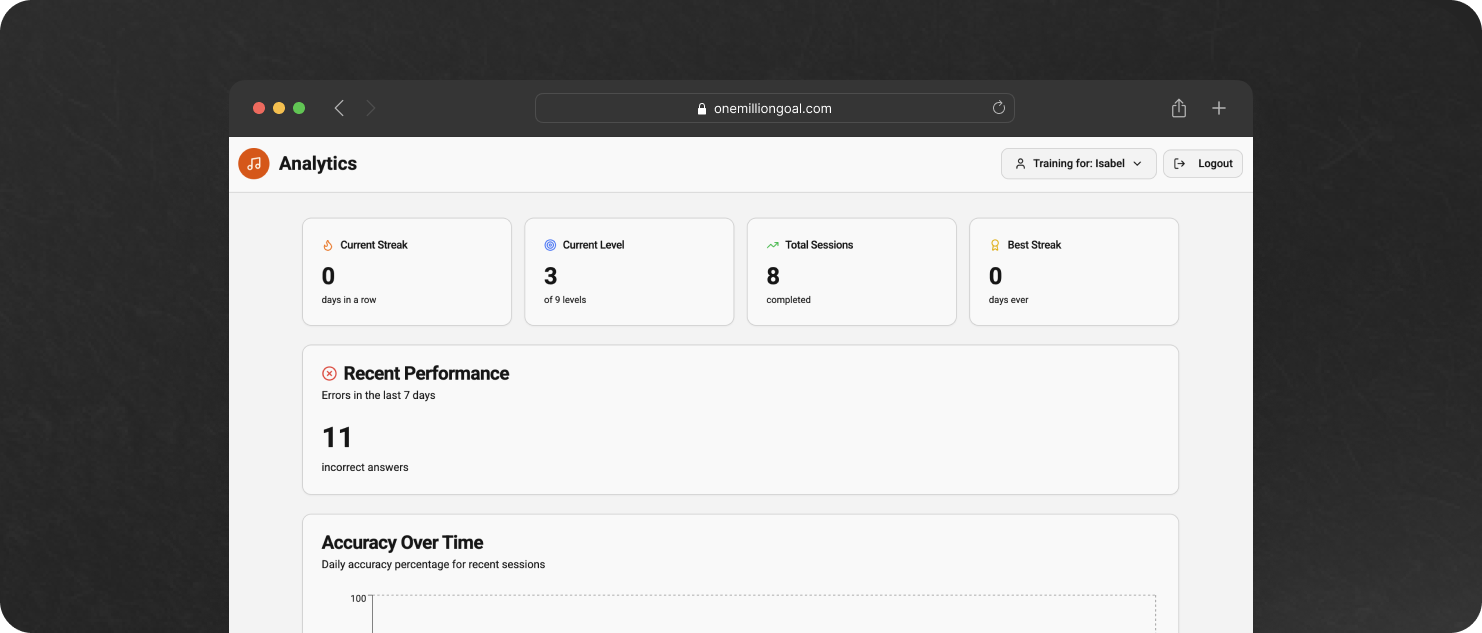
Then I asked for analytics. I wanted parents to be able to see the progress of their children.
Add a new bottom navigation tab called “Analytics”. This screen should show analytics for the currently active child.

Display the following analytics components:

1. Current Streak:
   - Large number display, e.g., “🔥 Streak: 4 days in a row”.

2. Current Level:
   - Badge element showing the child’s current level, e.g., “🎯 Current Level: 4”.

3. Accuracy History:
   - A Line Graph showing the accuracy percentage over the last 7–30 days.
   - X-axis: dates
   - Y-axis: accuracy (%)

4. Total Sessions Completed:
   - Stat card, e.g., “📘 Total Sessions: 42”.

5. Best Streak Ever:
   - Stat card, e.g., “🏆 Best Streak: 9 days”.

6. Errors (Last 7 Days):
   - Stat card, e.g., “❌ Errors (last 7 days): 12”.

7. Chord/Color Accuracy Radar Chart:
   - Radar chart with 9 axes, one for each chord in Phase 1:
     CEG, CFA, BDG, ACF, DGB, EGC, FAC, GBD, GCE.
   - Value for each axis: accuracy (%) for that chord-color pair.

Ensure the chart reads from the training logs associated with the current child_id.
Here it is:
Training Flow
I noticed that the session was starting without giving children the possibility to listen to the target chords. But this is strictly required by the CIM protocol:
In every session, a child begins by repeatedly listening to one chord represented by a small colored flag.
So, here’s the prompt.
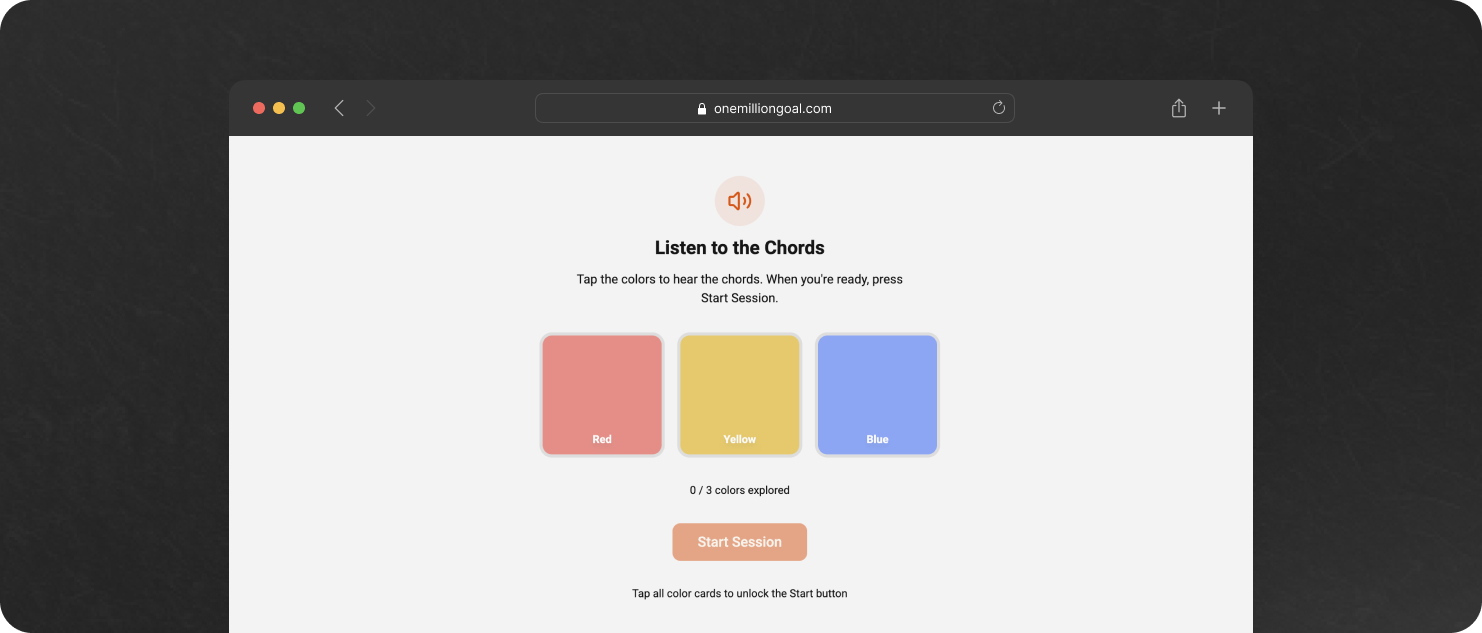
Add a mandatory pre-session listening phase before every training session, following the official Eguchi/Sakakibara Chord Identification Method (CIM).

Goal:
Before the session begins, the child must repeatedly listen to the target chord(s) and optionally tap the color cards to hear their associated chords. Only after this grounding step can the actual 20-trial session begin.

This is STRICTLY required by the CIM protocol:
“In every session, a child begins by repeatedly listening to one chord represented by a small colored flag.” — Sakakibara (2012), p. 90

## Feature Requirements

1. Replace the current “Start Session” behavior with a new two-step flow:
A) Pre-Session Listening Phase
B) Actual Training Session (20 trials)

The Training Session should not start automatically.

## Pre-session listening phase

When the parent taps the Level to train:

1. Show the colored cards for the active level (e.g., 2–9 cards).
2. Each card must be tappable.
   - When tapped, the chord corresponding to that color plays once.
   - This lets the child preview / recall the chord template.
3. Above the cards, add a simple instruction:
   - “Tap the colors to hear the chords. When you’re ready, press Start Session.”
4. Add a “Start Session” button at the bottom.
   - Disabled state until all cards are tapped.
   - Then becomes enabled.

5. The child can tap the cards to explore the sounds as long as they want.

6. When the parent/child taps “Start Session”, navigation moves to the actual training session screen.

## Actual Training Session

Start the 20-trial session exactly as before:
- Random chord selection from active set
- Repeated chord playback every 2 seconds
- Feedback logic for correct/incorrect answers
- End-of-session summary and confetti

No changes to the training logic itself.
Here it is:
Adding Payments
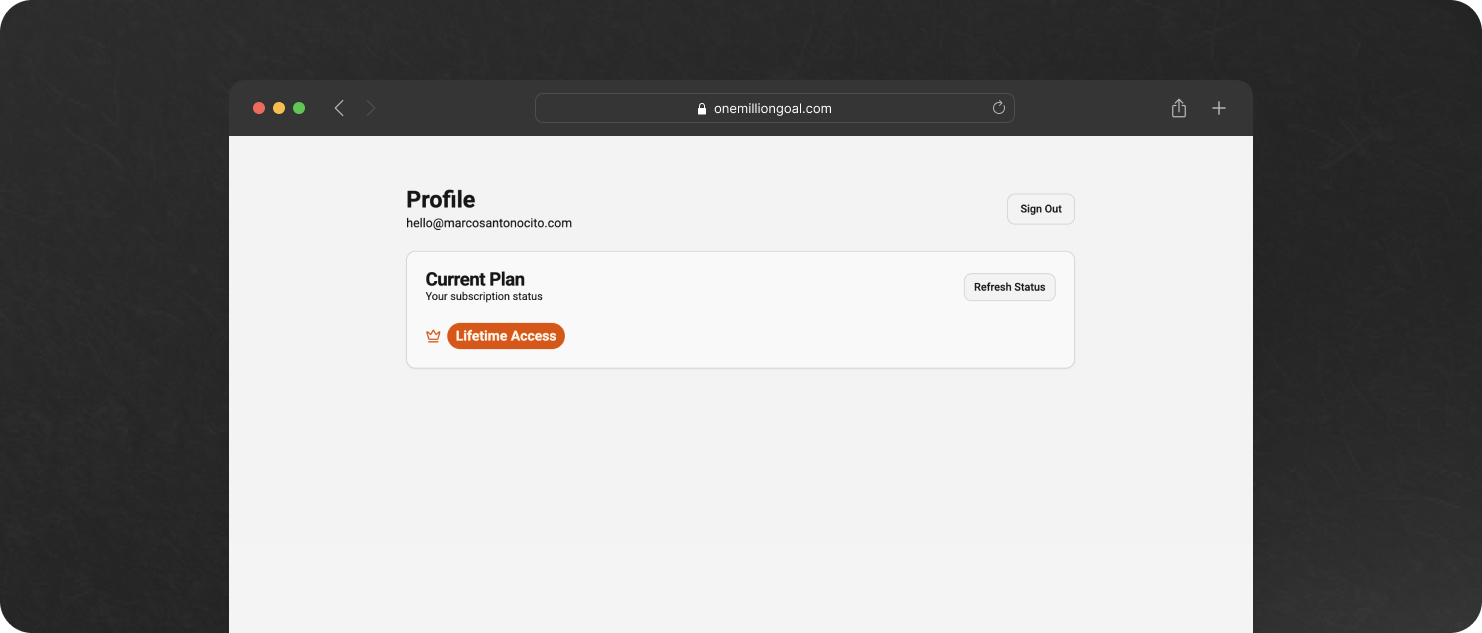
Lastly I made a commitment. We needed to add payments before launching our little product. Here’s the prompt.
Add support for paid plans:
- Yearly: €29.99/year
- Lifetime: €69.99 one-time payment

Use Stripe or the payment provider supported by Lovable.

Store in the database whether the user is:
- free
- yearly subscriber
- lifetime subscriber

Add a new “Upgrade” section inside the Profile screen.

The Upgrade screen must list all premium features:
- Unlimited training sessions per day
- Full access to Analytics
- All future updates included

Include buttons to purchase:
- “Buy Yearly – €29.99”
- “Buy Lifetime – €69.99”
You need to have a Stripe profile to be able to integrate payments because Lovable is going to ask you for the Stripe API key.
Here it is:
As you can see:
The distance between “idea” and “working feature” has collapsed.
It’s now measured in minutes, not weeks.
Learnings
1. AI doesn’t replace you, it amplifies you
ChatGPT didn’t invent ChromaKid. Lovable didn’t “magically” build the app.
I brought the idea, the insight, the constraints, the context, the science.
AI simply amplified that clarity.
It’s the difference between playing an instrument… and playing that same instrument with an orchestra behind you.
2. Planning is 90% of the work
The biggest misconception about AI development is that the hard part is getting the code.
It’s not.
The hard part is knowing exactly what you want the code to do.
If you can articulate:
why you’re building something
who it’s for
what should happen
how it should behave
…AI becomes unstoppable.
Most bad AI output is the direct result of bad input.
As someone said… garbage in, garbage out.
3. Speed changes the entire psychology of building
When a feature takes 3 weeks to implement, you overthink everything.
When it takes 3 minutes, you suddenly become incredibly bold.
You try things.
You adjust on the fly.
You break, fix, improvise, and iterate without fear.
Speed is not just a productivity multiplier.
It’s a confidence multiplier.
4. A solo founder today is a micro-team
This is the part that still feels unreal.
During the live session, I wasn’t working alone.
I was working with:
ChatGPT → product strategist + PM
Lovable → engineering team
Supabase → backend + auth
Stripe → payments infrastructure
One person + one laptop = four roles, zero overhead.
We are entering an era where a solo founder can operate like a small startup.
And this changes everything.
5. Save your credits
This one came from the Q&A, and it’s important.
Every prompt you run in Lovable costs credits. If you’re not planning well, if your prompt is unclear, if you keep trying random iterations, you’re basically burning money.
Good planning = fewer iterations = fewer credits.
And you have a trick to save even more: connect Lovable to a GitHub repository.
⁉️ What’s a repository?

A repository (“repo”) is simply a public or private folder where all your project’s files live, with version history included. Think Google Drive, but for code... with superpowers.
Once your Lovable project is connected to GitHub, every time it generates code, you can open that code in Cursor, or Claude’s “Projects”, or GitHub’s code reader, or any AI tool you prefer… and ask that tool questions for free or cheaper, instead of burning Lovable credits.
One attendee in the audience said:
My cofounder keeps asking Lovable questions to understand the code, and he’s burning my credits.
Solution?
Export to GitHub, open in Cursor/Claude, chat with the code. Zero credits wasted, only $20/month.
This simple workflow can save a lot of money for early founders.
6. Avoid vendor lock-in
Someone else asked:
Why not use Lovable Cloud instead of Supabase?
Because I want the freedom to switch tools the moment the project gets more complex.
⁉️ What is Supabase?
An open-source backend: Postgres, auth, file storage, APIs (no lock-in). I can take my database anywhere.


⁉️ What is Lovable Cloud?
A managed environment from Lovable where everything runs automatically, but you’re tied to their deployment, you rely on their stack, you can’t easily migrate away, and you may hit limitations later.
For an MVP → Lovable Cloud is fine.
For a product that could grow → I prefer Supabase.
Freedom > convenience.
7. “When should I use Lovable?”
This was another real question I’ve received after the event:
How is Lovable? A friend recommended it over Bubble. But I’ve tried other AI builders and I’m scared it will burn credits endlessly without producing a solid app.
Here’s my honest take:
These tools all have limitations. They are not magic. They won’t build a perfect, enterprise-ready platform for you.
But they are extraordinary at one thing:
Reducing development cost and time-to-market to almost zero.
If you have an idea and you want to test it, validate it, and gather feedback.
Start here.
Move fast. Iterate with AI. Find your Product-Market Fit. Improve your Time-To-Value. Measure conversions. Observe usage. Ship again. And again.
Once you hit traction, once the tool starts feeling tight, that’s your signal:
dump the code into GitHub
bring in a real developer (even part-time)
keep using AI as support
But don’t start with a big engineering effort.
Start with speed. Start with iteration. Start with learning.
That’s what Lovable is for.
Final Thoughts
I didn’t do this challenge to show off how fast AI can build things.
I did it because something fundamental is shifting.
When I look around, I see thousands of people with incredible ideas but they’re blocked by one of three things:
no time
no team
no technical firepower
AI doesn’t magically solve every problem. But it removes all three of those blockers at once.
This experiment in Turin wasn’t about an app. It was about proving something bigger:
If you can describe what you want precisely, you can build it.
If you can build it, you can launch it.
If you can launch it, you can learn.
And if you can learn… you can win.
The gap between I have an idea and I launched something is disappearing.
The only real bottleneck now is clarity, and courage.
Clarity to describe what you want.
Courage to press “Generate.”
And the willingness to look a bit crazy while building something live.
ChromaKid is just one example.
A small MVP built in under an hour.
But it represents something much bigger happening right now:
The rise of the solo builder.
The return of high-agency creation.
The era of those who actually take action.
If this resonates with you, you might be one of them.
And if you’re reading this… I hope you become the next person who stands up, opens a blank project, and says:
Let’s build something, right now.
That's a great example... Clearly now the challenge is vibe go to market to achieve this kind of performance when you are selling the product :)
Come sempre illuminante !!! Grande Marc !